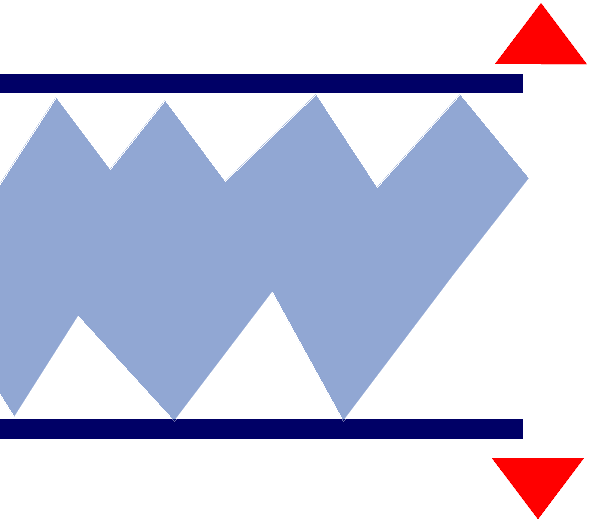
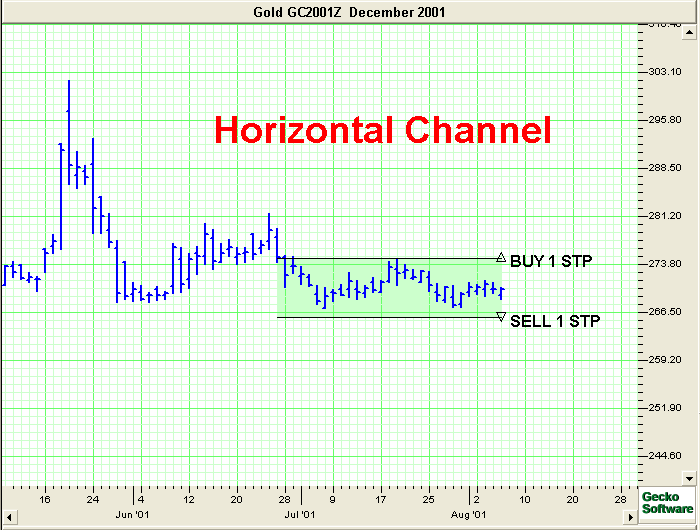
Drawing a Horizontal Channel:
- Select the Horizontal Channel Tool from the Charting Toolbox.
- Position the mouse pointer where you would like to place the top
left point of the channel
and left click, continue to hold down the mouse dragging it to the
right bottom point of channel, release mouse button to place.
Moving the Channel:
Select the channel drawing by clicking on it, drag to the new
location and release the mouse button to place.
Deleting the Channel:
Select the drawing by clicking on it and press the Delete
Key on your keyboard.
Resizing the Channel:
- Select the drawing by clicking on it.
Note: The drawing is
selected when boxes appear on the corners.
- Click on one of the boxes on the corners to drag the select point and release
the mouse button.
Changing Properties of a Channel:
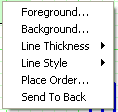
- Right-Click on the drawing to view the properties menu. (see
below)
- Properties that can be changed are:
- Foreground: Changes the top and bottom lines of the channel.
- Background: Changes the inside color of the channel.
- Line Thickness: Changes the thickness of the channel lines.
Choose values from 1-6.
- Line Style: Changes The line style of the channel lines.
Choose from solid, dashed, dotted and more.
- Place Order: This option allows the user to place orders on a
formation. Select this option and standard orders will be
placed. After the orders are placed you will be able to move the
orders if desired.
- Send to back: Changes the layer of the tool. This option is
used when more than one tool is in the same area of the chart. Click
on Send to back when you need to access a tool under the Horizontal
Channel
drawing.
 |
Horizontal/Sideways Channel:
|