Directional Movement Index (DMI)
Indicator Type: Non-Indicator
Introduction:
Wilder’s DMI is similar to the historic volatility indicator in that it shows
the market tendencies. The main use of this tool is to show the strength of
trend. This could direct the trader to use a trend following system or a counter
trend system in their trading. It also indicates possible price reversals.
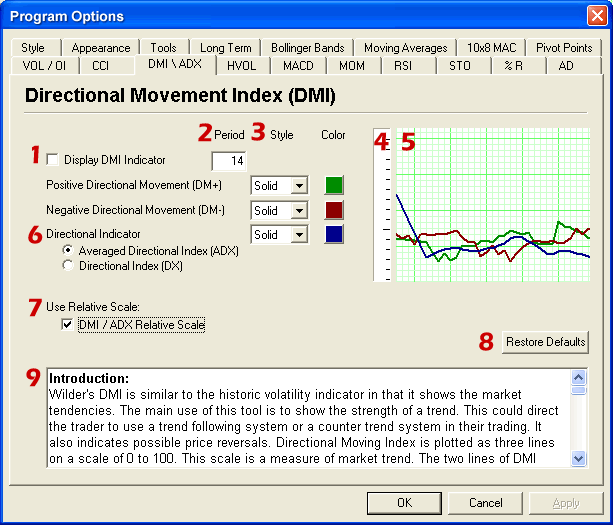
Directional Moving Index is plotted as three lines on a scale of 0 to 100. This
scale is a measure of market trend. The two lines of DMI show the amount of
positive and negative movement. The positive line is called D+ and the negative
D-. The direction of these lines and the use of crossovers can show the changes
in the current market. The key to this indicator is the average of the
difference of these two lines. The ADX, as it is called is the main factor in
using this indicator. During periods of extreme price variation the two lines
can become very volatile, the ADX is used to compensate for this.
Interpretation:
The best application of DMI is present when used with another indicator. DMI
should either confirm or contradict the indicator being used. It is also best to
use DMI in long-term trade situations. Because the study is not as sensitive as
other indicators it is appropriate to use it as a confirmation tool. When the
DMI is advancing, the average is higher on the 0 to 100 scale, trend following
systems are best employed. Likewise with a decreasing DMI average, the line is
lower on the scale closer to 0, a counter trend system might be best. These
traits represent the fact that as the average line goes higher in the scale the
strength of the trend is gaining, and as the ADX goes lower the trend is loosing
strength. It is also important to look at the individual lines for changes in
price movement.
The other application for DMI is to look at the D+ and D- lines themselves. When
the D+ line crosses above the D- line a buy signal is initiated. This indicates
that the positive price direction is greater than the negative.
Conversely, once the D- line crosses below the D+ line, a sell trigger is
present. The negative price movement is overtaking the positive. Welles Wilder
himself said that he was not comfortable using these two lines by themselves. So
when looking at reversals the ADX should be above both lines and once it turns
lower we should see a change in market direction.
This application is much the same as momentum showing a change in the market
sentiment. Wilder also says that a trend following system should not be used
when the ADX line is below both D lines. This means that the market has no
discernable direction.
When using the D+ and D- crossover method, Wilder stresses the use of an extreme
point. On the day the crossover occurs, the extreme point is the high or low of
the day, (high for a buy, and low for a sell). The market should be able to take
out that price and stay beyond it for several days before the trade is initiated
or exited. This use of extreme points should keep the trader from getting into
whipsaws or false breakouts.