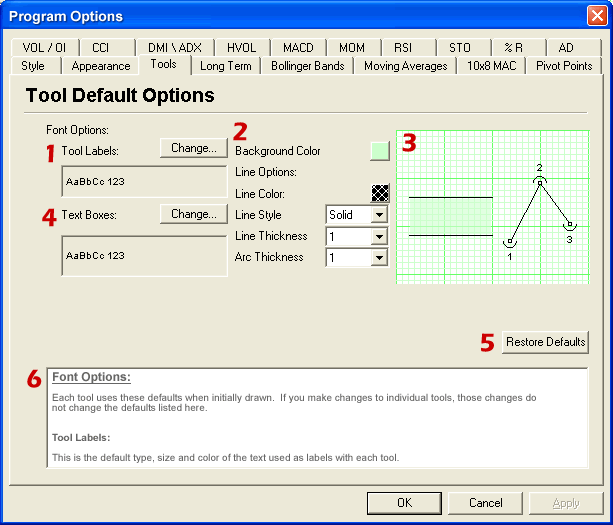
Font Options: Each tool uses these defaults when initially drawn. If you make changes to individual tools, those changes do not change the defaults listed here.
Tool labels: This is the default type, size and color of the text used as labels with each tool.
Chart Options:
Background Color: Default color used for backgrounds of tools that have background capabilities.
Line Options:
Line Color: Default line color used by tools.
Line Style: Default line style, this effects how tool lines appear.
Line Thickness: Default line thickness, this affects how thick lines on tools appear.
Arc Thickness: This is the default for how thick the arcs are drawn for tools that use arcs. Arcs are always drawn in the same color as lines.
Preview Window
Text Boxes: This is the default type, size and color of the text used for the text tool.
Restore Defaults:
Documentation: