Volume and Open Interest
Indicator Type: Non-Indicator
Introduction:
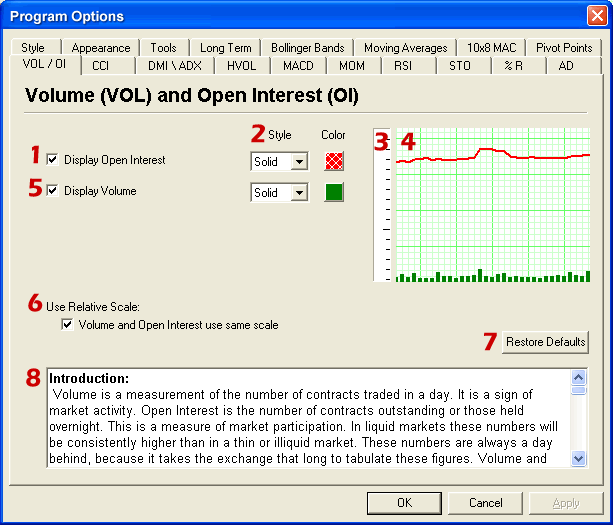
Volume is a measurement of the number of contracts traded in a day. It is a
sign of market activity. Open Interest is the number of contracts outstanding or
those held overnight. This is a measure of market participation. In liquid
markets these numbers will be consistently higher than in a thin or illiquid
market. These numbers are always a day behind, because it takes the exchange
that long to tabulate these figures. Volume and Open Interest (VOI) indicate
participation and urgency. This tells the trader which market is the correct one
to be in based on its participation.
Interpretation:
Volume measures the number of contracts that changed hands during that trading
session. This indicator of market activity can show whether trade was heavy or
light. That will give you an idea of the possible volatility present in that
market.
Contracts that have not been settled at the end of the day are represented by
open interest. New buyers and sellers entering or exiting the market change open
interest.
The key to this indicator is to look at volume as a percentage of open interest.
VOI does not give straight buy or sell signals or have set trading rules. Rather
it shows the cyclical tendencies of the market. The flow of the underlying
market can be represented. Looking at VOI shows whether new buyers or sellers
are entering the market or if they are liquidating positions.
There are basic common sense rules for this indicator.
Prices are up and VOI is increasing, the market is strong.
Prices are up and VOI is declining, the market is getting weaker.
Prices are down and VOI is rising, the market is getting weaker.
Prices are down and VOI is declining, the market is gaining strength.
In bull markets, volume tends to increase during rallies, and tends to decrease
on reactions. In bear markets, volume tends to increase on declines and decrease
during rallies. Trading volume usually increases dramatically at tops and
bottoms.
Look at volume and open interest will show you which contract month to be in.
When looking at trading a specific commodity it is important to know which
contract month to be in. Commodities expire or are delivered several times a
year. This creates a situation where traders are constantly “rolling over” from
one contract month to the next. This means that traders need to know which month
to be in. VOI is the tool that shows us which contract month. The months that
have the highest open interest are usually the best to be in because they are
the most liquid. The months that have higher volume will afford the trader a
better opportunity to enter and exit the market.