Deposits and Withdrawals
Track 'n Trade Pro's Accounting systems allows entering deposits and making a
withdrawals in your trading account as well as placing orders.
To Place a Deposit:
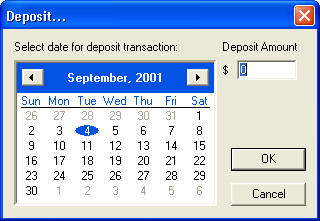
- Click on the Deposit button in My Account Window. This will bring up
the Deposit window. See below
- Next select the day of the deposit and the amount.
- Click OK to enter deposit.
- Click Cancel to dismiss Deposit Window.
To Make a Withdrawal:
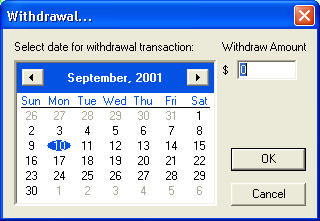
- Click on the Withdrawal button in My Account Window. This will bring
up the Withdrawal window. See below
- Next select the day of the withdrawal and the amount.
- Click OK to enter withdrawal.
- Click Cancel to dismiss Withdrawal Window.
Deleting Deposits/Withdrawals:
- Click on the deposit or withdrawal to select and press the delete key on
your keyboard to remove.
Editing a Deposit/Withdrawal:
Double click the Deposit or Withdrawal to open the settings screen.