 |
|
|
|
|
|
|
|
|
|
|
|
|
|
|
|
|
|
|
|
|
| |
|
|
|
|
|
|
|
|
|
|
|
Track 'n Trade High Finance
Download, Installation, and 30-Day Data Account Instructions
Click on the section needed below:
- Download
-
Installation
- Free
Trial Setup
|
Download
- Click on the "Download " link from the
Track 'n Trade website and the following window will open:
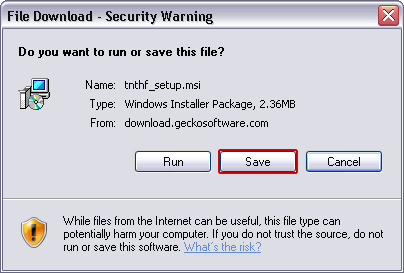
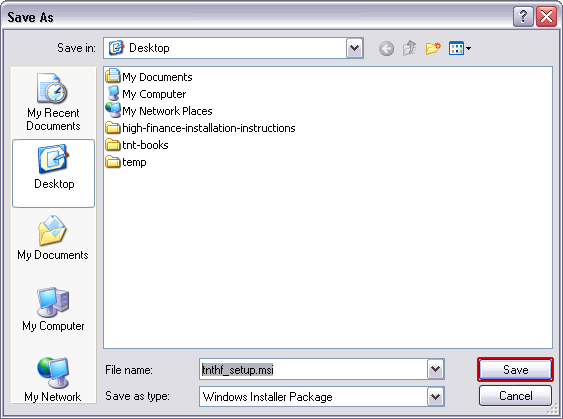
- Click "Save" to continue, the next window
will ask where to save the file. Select your download location and
then click "Save". We recommend saving to your "Desktop"
to help locate the file after
download.
Installation
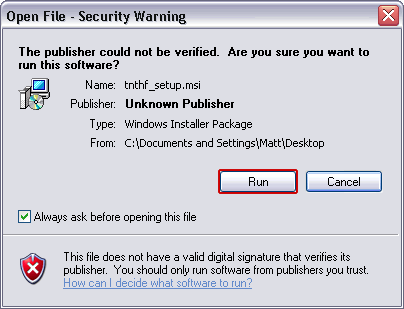
- When it has finished downloading,
double-click the file "tnthf_setup.msi" to continue. The following window
will appear,
click on "Run" to continue.
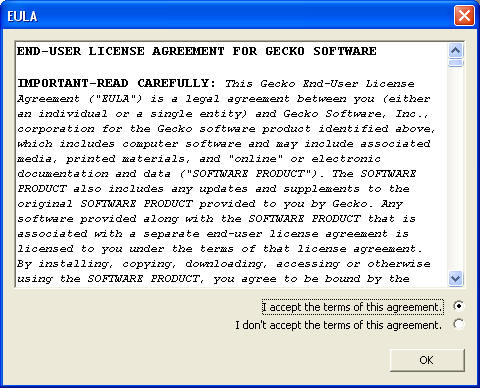
- To continue, Accept the terms of the End-User License Agreement
and click "OK"
- Track 'n Trade High Finance Setup Wizard will now begin. Simply
follow the directions from
the setup
wizard to complete the installation.
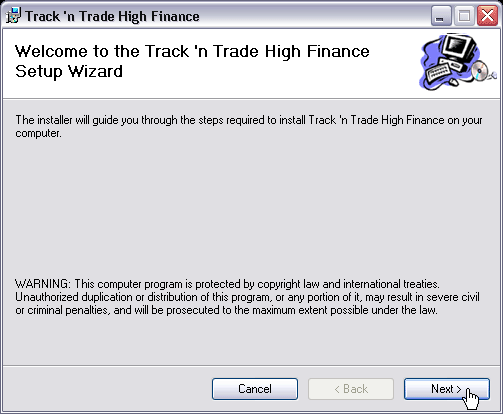
- Confirm Installation, click next to start the installation.
- After the installation completes, you can start High Finance by
double-clicking on the
icon
 from the Desktop or by clicking on "Start", "All Programs", "Gecko
Software", from the Desktop or by clicking on "Start", "All Programs", "Gecko
Software",
"Track 'n Trade High Finance" When you startup your freshly installed software the
following
screen will appear.
If you already have a Username and password,
click the Login radio button and enter your information here.
-
Setting up 30-Day Trial and Data Account
Track 'n Trade High Finance allows you to
evaluate the software completely by simply signing up for our
FREE 30-day Trial, which gives you access to every feature and
market available in the Full Version, PLUS gain access to a
30-day Live Demo Account with FXCM, the largest Forex clearing
firm in the world.
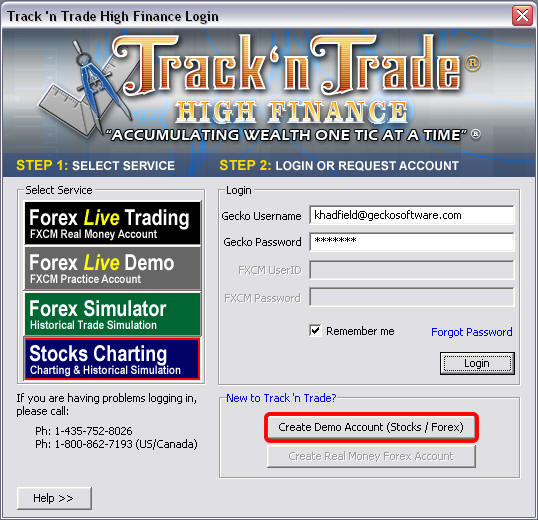 -
If you are requesting a Free 30 day trial, then click
"Create Demo Account (Stocks/Forex)." Your Web
Browser will open our Registration Form.
- Our 30-day Trial Registration Form will set-up your 30-day
trial for Track 'n Trade High Finance and also set up a 30-day demo
account with FXCM so you can place live simulated orders directly
through High Finance. Simply select the account size and the
Registration Form to sign up.
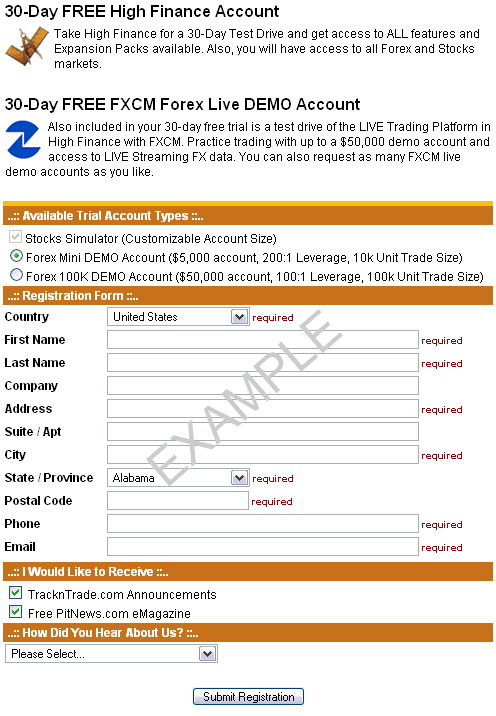
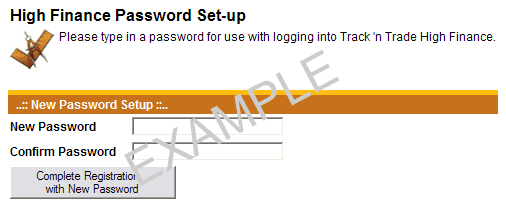
- Once you have submitted the form you should then see the
new password setup form.
Enter your desired password, and click the button at the bottom to
complete the registration.
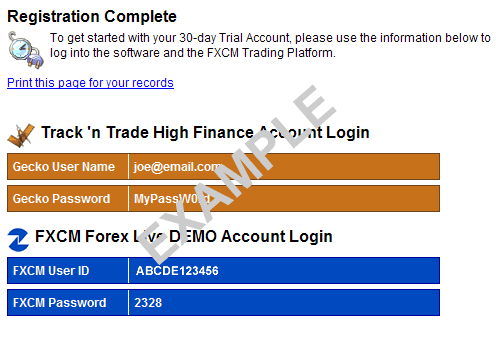
- The final page will show you two login accounts, one for High
Finance and one for your FXCM 30-day demo account. An email
will be sent to you for each login account. Print this page for your
records and close the browser window.
- Using the login information provided to for the 30-day Trial
Registration Form, fill out the login information in the Login
section of High Finance. You only need to fill in the FXCM
Login if you wish to use the live demo account. Otherwise, you
can use the built in historical simulator for either Stocks or Forex.
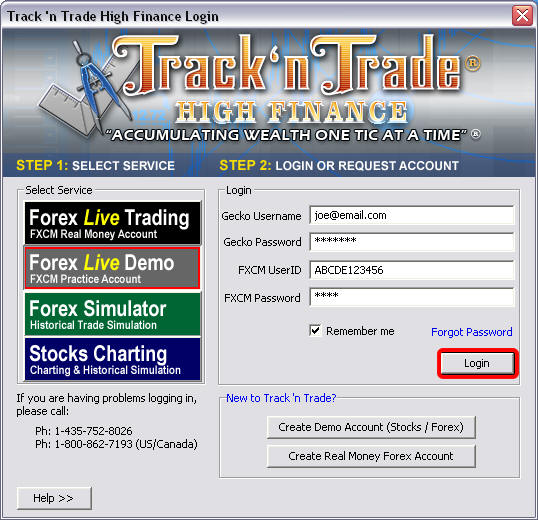
Once you login, you will now have access to all available
markets for 30-days.
|
|
|
Technical Support Department
Phone: U.S. / Canada: (800) 862-7193
Outside the U.S./Canada:(435) 752-8026
Hours: M-F 9am to 5pm MST |
|
|
|
|
 |
|
|